Last updated: October 10, 2026
Key Takeaways
- Usability means helping a real person finish a writing task quickly, with predictable steps and minimal confusion.
- I begin by checking the product’s structure, not its marketing claim.
- I test AI writing tool usability through first use, guided use, and realistic revision.
- I score usability in five areas: onboarding, task completion, control, clarity, and recovery.
AI writing tool usability is not about whether the model can produce decent copy. It is about whether a person can get useful work done with as little friction, rework, and uncertainty as possible. I test AI writing tool usability by asking a simpler question: can a writer, editor, or marketer move from blank page to publishable draft without fighting the interface, the prompts, the settings, and the output quality at the same time? For practical methods, I lean on usability guidance from the Nielsen Norman Group, the W3C Web Accessibility Initiative, and the U.S. General Services Administration because AI writing software still has to work like usable software.
What I mean by “usability” in an AI writing tool
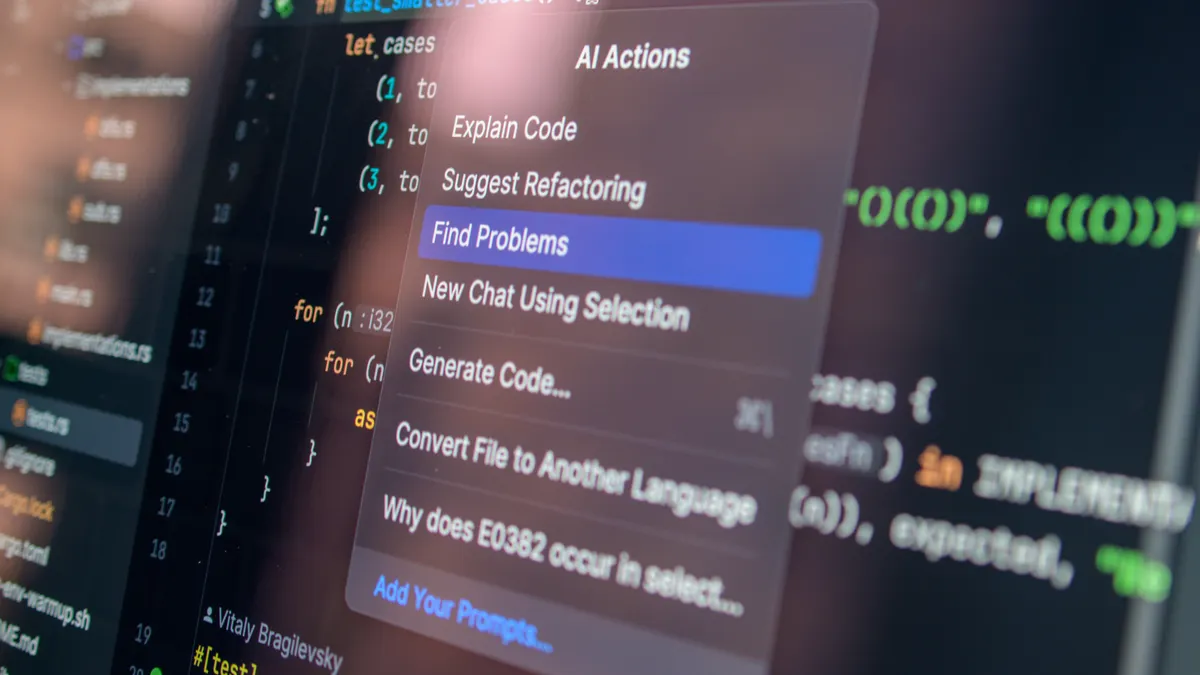
Usability means the tool helps a real person finish a writing task in a reasonable time, with predictable steps and minimal confusion. In this context, I look at four things: how fast a new user can start, how clearly the product explains itself, how easy it is to control output, and how well the tool fits into a normal content workflow.
That definition matters because many AI writing products are evaluated as if they were pure text generators. They are not. They are software products with onboarding screens, prompt builders, document editors, history panels, collaboration features, export paths, and pricing limits. A model can write a competent paragraph and still be a poor tool if the interface buries the prompt box, the draft disappears on refresh, or the editor makes revision harder than writing from scratch.
I also treat usability as different from output quality, though in practice a professional user may want to assess both. A tool can be strong at rewriting and weak at organizing a workflow. It can be fast but opaque. It can be polished but restrictive. That trade-off is the point of the test: I want to know who the tool helps, who it slows down, and what kind of writing job it really serves.
A generic article often stops at “ease of use” as if that were a single number. It is not. For AI writing software, usability includes onboarding, control, output predictability, collaboration, and the cost of mistakes. If a tool produces text in 10 seconds but takes 20 minutes to correct, that is not usable for most professional work.
What I look at before I even write a prompt
I start by checking the product’s structure, not its marketing claim. The first pass is about whether the tool gives me a sensible path from sign-up to first useful draft in under 10 minutes, not whether the homepage says “fast” or “smart.” I look at the number of steps, the clarity of labels, the presence of sample workflows, and whether the tool makes the first action obvious.
The interfaces that score well tend to do three things. They show a prompt field without forcing me to hunt for it. They separate drafting, editing, and exporting instead of mixing every function into one crowded panel. And they make limits visible early, whether that limit is a word cap, a project cap, a seat cap, or a model-switching restriction. Hidden limits are usability failures because they break trust mid-task.
I also check how the product handles the basics of content work: headings, tone changes, brand rules, citations, and version history. A writing tool aimed at blog posts should not make me reconstruct a heading hierarchy by hand after every generation. A tool aimed at teams should not bury collaboration controls three menus deep. If a tool asks for a long setup before I can test a single paragraph, I mark that as friction, not “customization.”
This is also where I decide who the tool is not for. A lightweight AI writer can be fine for solo drafting, but it is often a poor fit for editorial teams that need comment threads, approval steps, or audit trails. A polished team platform can be too much for someone who only wants to rewrite product descriptions. Matching the tool to the job matters more than counting features.
How do I test AI writing tool usability?
I test AI writing tool usability by running the same writing task through three phases: first use, guided use, and realistic revision. That gives me a clearer picture than a simple feature checklist because the first prompt is only part of the work.
For first use, I ask whether a new user can understand the tool without reading a manual. I look for plain-language labels, visible entry points, and whether the interface explains what the tool can and cannot do. I also note whether the product nudges me toward a paid plan before I have learned anything useful. A tool can still be good with a paywall, but the paywall should not block basic evaluation.
For guided use, I test one or two common jobs: a blog intro, a product description, a summary, or a rewrite in a specific tone. The point is not to reward the fanciest output. The point is to see whether the tool lets me control structure, voice, and length without making the prompt absurdly long. A tool is less usable if the prompt has to do all the work that the interface should handle.
For realistic revision, I try to edit the output the way a working writer would: cut redundancy, tighten claims, change headings, and adapt the draft for a different audience. That step reveals whether the product helps with iteration or only with first drafts. Many AI writing tools look strong when the output is fresh and weak the moment I need to revise one sentence without re-generating the whole section.
I also watch for failure states. Does the tool preserve drafts after refresh? Does it allow versioning? Does it recover gracefully when a prompt is unclear? Does it make it easy to compare outputs? Those details are not cosmetic. In writing software, losing a draft or confusing a revision is a real cost.
What the timeline usually looks like
A fair usability check is not a 30-second glance. I break it into 15 to 30 minutes of first-use exploration, one focused drafting task, and one revision pass. That gives enough time to spot whether the product feels intuitive only at the start or throughout the workflow. If I need a full day to understand the interface, the product is probably asking too much of the user.
What I score, and why the score has to include friction
I score usability across five dimensions: onboarding, task completion, control, clarity, and recovery. Each one captures a different kind of failure.
Onboarding tells me whether the tool teaches itself. Task completion tells me whether the user can reach a workable result. Control tells me whether the writer can steer tone, length, structure, and level of detail. Clarity tells me whether the interface and the output make sense. Recovery tells me whether mistakes are easy to fix.
The strongest AI writing tools usually do well in only some of these at first. A tool can be great at task completion and weak at recovery if it makes revisions clumsy. Another can be clear but slow because it overexplains every prompt. I prefer products that reduce the need for interpretation. If the user has to guess whether “custom style” applies to one document or the whole workspace, the product has already created friction.
I also score how much editing is left to the human. That is one of the most important usability questions, and generic reviews often avoid it. A tool that produces 1,000 words of text that are only loosely relevant is not automatically useful. If the writer still has to spend 40 minutes correcting structure, cutting repetition, and fact-checking generic claims, the software has not reduced labor in a meaningful way.
This is where cost enters the usability conversation. I do not mean just subscription price. I mean the cost of extra prompts, the cost of missing export options, the cost of poor collaboration, and the cost of manual cleanup. A cheaper tool that wastes time can be more expensive in practice than a higher-tier product that cuts revision work.
Before-and-after view of what usability testing changes
| Metric | Before | After | Change | Timeline |
|---|---|---|---|---|
| Clarity of first action | Unclear | Clear | Reduced hesitation | First 5 minutes |
| Prompt effort | Long, vague prompts | Shorter, targeted prompts | Less setup work | First task |
| Revision burden | Heavy manual editing | Easier line-level changes | Less rework | Revision pass |
| Workflow confidence | Low | Higher | Fewer surprises | End of session |
| Fit for job | Guessing | Better match to use case | Better selection | By the end of testing |
What goes wrong in AI writing tool usability tests
The most common failure is that the product looks simple until the user tries to do something specific. Then the interface gets in the way. This usually shows up in three forms: hidden controls, vague generation settings, and output that is hard to edit cleanly.
Hidden controls are a problem because they turn a writing task into a scavenger hunt. If tone settings sit behind three dropdowns or export options appear only after generation, the tool slows the user down. Vague generation settings are just as bad. “Creative,” “professional,” and “concise” are not enough if the user needs a 150-word product summary in plain language for a specific audience. The software should make precision easier, not harder.
Another failure is overconfidence in the draft. Some tools produce text that looks polished enough to trust, but the structure is thin and the claims are generic. That is dangerous for usability because it tempts the user to skip checking. I treat that as a design problem as much as a content problem. A writing product should help a person see what needs work, not disguise weak copy behind clean formatting.
There is also the collaboration problem. A solo writer can tolerate a rough interface more easily than a team can. Once multiple people need access, version history, comments, and export control become part of usability. A tool that works fine for one draft can fail badly in a content operation where an editor, a marketer, and a legal reviewer all need to touch the same text.
This section is not for readers who want a quick “best tool” list with no method. That kind of summary hides the hardest part: the difference between a tool that writes and a tool that supports writing. If the job is daily publishing, the second one matters more.
What I would consider a strong result
I would call an AI writing tool usable if a new user can understand it in minutes, produce a draft with moderate prompt effort, and revise that draft without losing structure or confidence. That is a practical standard, not a flattering one.
For an individual blogger, the tool should make ideation, drafting, and basic rewrites faster than doing the same work by hand. For a team, the tool should add control, not noise. For a marketer, it should keep brand tone and format stable across repeated tasks. For an editor, it should make cleanup predictable instead of surprising.
The honest trade-off against the obvious alternative is this: a simpler tool may be better for speed, while a more complex platform may be better for consistency and team use. If someone only needs occasional drafts, heavy workflow features are dead weight. If someone needs recurring content at scale, a bare-bones writer becomes expensive in time. The right choice depends on how often the tool will be used, how many people need to touch the content, and how much revision the organization can tolerate.
I would not judge a tool solely by the quality of one generated paragraph. I would judge it by whether that paragraph can become usable content with a normal amount of human work. That is the difference between software that helps and software that merely impresses.
What should you compare before you buy?
You should compare the tool’s controls, revision flow, integrations, and export paths before you buy. Price matters, but the more expensive mistake is choosing software that does not fit the way the work actually happens.
Start with the writing job. Blog drafts, ad copy, product descriptions, sales emails, and internal summaries all demand different levels of control. Then check whether the tool can handle that job without extra steps. If it cannot preserve headings, export cleanly, or support collaboration, those gaps will show up fast in daily use.
I also recommend looking for a trial period or a low-commitment plan if the product offers one. That is one honest way to see how the software behaves inside a real workflow. Marketing pages rarely reveal where the friction lives.
Authoritative references that help frame a usability check include the Nielsen Norman Group’s usability guidance, the W3C’s WCAG 2.2 recommendations for interface accessibility, and the U.S. General Services Administration’s guidance on user-centered design. Those sources are not AI-writing-specific, but they are useful standards for judging whether the software is understandable, controllable, and accessible.
FAQ
How do I know if an AI writing tool is easy to use?
A tool is easy to use if a new user can start a task quickly, understand the controls, and revise the output without confusion.
What matters more: output quality or interface design?
Both matter, but interface design matters more if the goal is repeated work, because a good draft that is hard to edit still creates extra labor.
Should I judge AI writing tools by a single prompt?
No. A single prompt only shows the first result. Usability shows up across setup, drafting, revision, and export.
What is the biggest sign of poor usability?
The biggest sign is hidden friction: controls that are hard to find, unclear settings, or a workflow that creates more correction work than it saves.
Is a more feature-rich tool always better?
Not always. A more feature-rich tool is only better if those features fit the actual writing job and do not slow the user down.
Drafted with AI; not yet reviewed by a person.